1. About SEO
SEO stands for search engine optimization.
It is the practice of making web pages rank higher in search engines to increase visitors arriving through search results.
Search engine optimization involves three processes.
- Crawling: search engine crawlers (bots) explore the internet, finding and recording (indexing) website content such as text and images. Server-side rendering and metadata configuration are needed to help crawlers read the site.
- Indexing: storing the content discovered by crawlers in the search engine’s database. This data can appear in search results when someone enters a query.
- Ranking: determining which web pages are most relevant to the user’s query, ordering them, and displaying them on the results page. Various algorithms and criteria are applied in this process.
Here are the important elements of SEO.
1. Keywords
- Keyword research: It is important to understand search frequency and competition for particular keywords, and place those keywords appropriately on a page.
- Keyword optimization: Place keywords naturally in titles, meta tags, and content, aligning them with search queries.
2. Content Quality
- Usefulness: Content should be clear, informative, and answer users’ questions.
- Originality: Unique, original content may be rated more highly.
3. User Experience (UX)
- Site speed: Fast-loading pages improve the user experience and positively affect SEO.
- Mobile friendliness: The website should work well on mobile devices too.
4. Backlinks
- Quality: Links from other relevant, authoritative sites are important for improving a website’s credibility and ranking.
5. Technical SEO
- Meta tag optimization: Write appropriate meta tags (title and description) for each page to improve click-through rates.
- Structured data: Use schema markup such as JSON-LD to help search engines understand the content.
There is quite a lot to consider.

Now that we have looked at the elements SEO requires, let’s put them into practice.
Because I built this blog with the Astro framework, I followed the Astro docs.
2. Making My Site Easy for Crawlers to Read
We need to help crawler bots understand the site’s structure and purpose from its code.
-
robot.txt file: this tells search engine crawlers which parts of the website they should or should not crawl. If pages should not appear in search engines, you can configure them in robot.txt.
I allow crawling across the entire site, so I configured it as follows. A detailed explanation of the syntax is available at https://developers.google.com/search/docs/crawling-indexing/robots/create-robots-txt?hl=ko here.
# Allow all bots to scan and index the site. # Full syntax: https://developers.google.com/search/docs/advanced/robots/create-robots-txt User-agent: * Allow: / -
Meta tag optimization : Set clear, effective page titles, descriptions, and keywords to help users and crawlers understand search results. I configured meta tags in the head as follows. Their roles differ depending on property and name.
<!-- Primary Meta Tags --> <title>{title}</title> <meta name="title" content={title} /> <meta name="description" content={description} /> <meta name="keywords" content={keywords} /> <!-- Open Graph / Facebook --> <meta property="og:type" content="website" /> <meta property="og:url" content={Astro.url} /> <meta property="og:title" content={title} /> <meta property="og:description" content={description} /> <meta property="og:image" content={new URL(image, Astro.url)} /> <!-- Twitter --> <meta property="twitter:card" content="summary_large_image" /> <meta property="twitter:url" content={Astro.url} /> <meta property="twitter:title" content={title} /> <meta property="twitter:description" content={description} /> <meta property="twitter:image" content={new URL(image, Astro.url)} />nameattributeThe
nameattribute provides information about the page to search engines or browsers. It is mainly used for document-level metadata and directly affects SEO. It typically includes:- description: A short page description that may appear as descriptive text in search results.
- keywords: A comma-separated list of relevant keywords. Once important for SEO, its importance has diminished as search algorithms have become much more complex.
- robots: Controls whether search engine crawlers index the page or follow its links (for example:
noindex,nofollow).
propertyattributeThe
propertyattribute primarily uses the Open Graph protocol to control how page information appears on platforms such as social media. It is particularly useful for defining social media card information, typically including:- og:title: Specifies the content title used when sharing on social media.
- og:description: Provides a short content description used when sharing on social media.
- og:image: Specifies the URL of the image representing the content, shown when it is shared on social media.
- og:url: Specifies the original content URL used when sharing.
- og:type: Specifies the page type (e.g., website, article).
These meta tags can strongly influence how a page is presented and understood on social media and search engines, so it is important to manage metadata effectively using appropriate
nameandpropertyvalues. This can improve click-through rates, accessibility, and online visibility.
-
Submit a sitemap: represent the site’s structure in an XML file and submit it through a tool such as Google Search Console. A sitemap helps crawlers discover and index all pages on a website. In Astro, configuring the sitemap generates one automatically as shown below. The generated sitemap organizes pages like this.
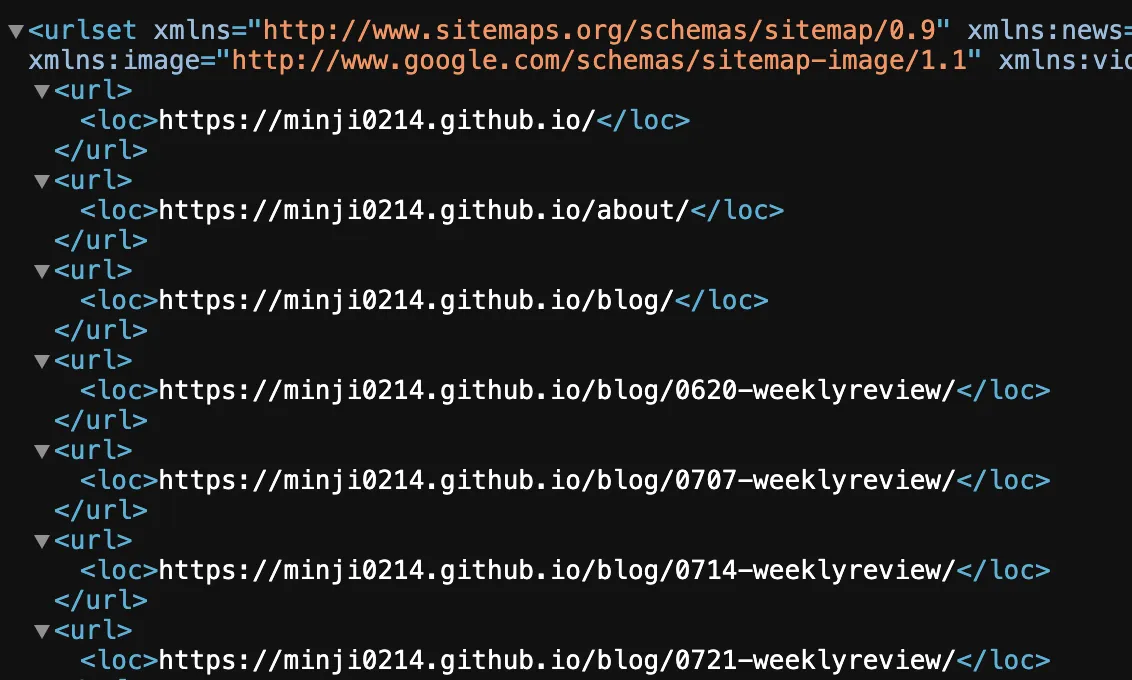 Sitemap syntax is explained at https://developers.google.com/search/docs/crawling-indexing/sitemaps/build-sitemap?sjid=9950318752227535834-AP&hl=ko#xml
You can check it in Google Search Console.
-
Performance improvements: site performance also matters for SEO. I measured performance using Chrome’s Lighthouse.
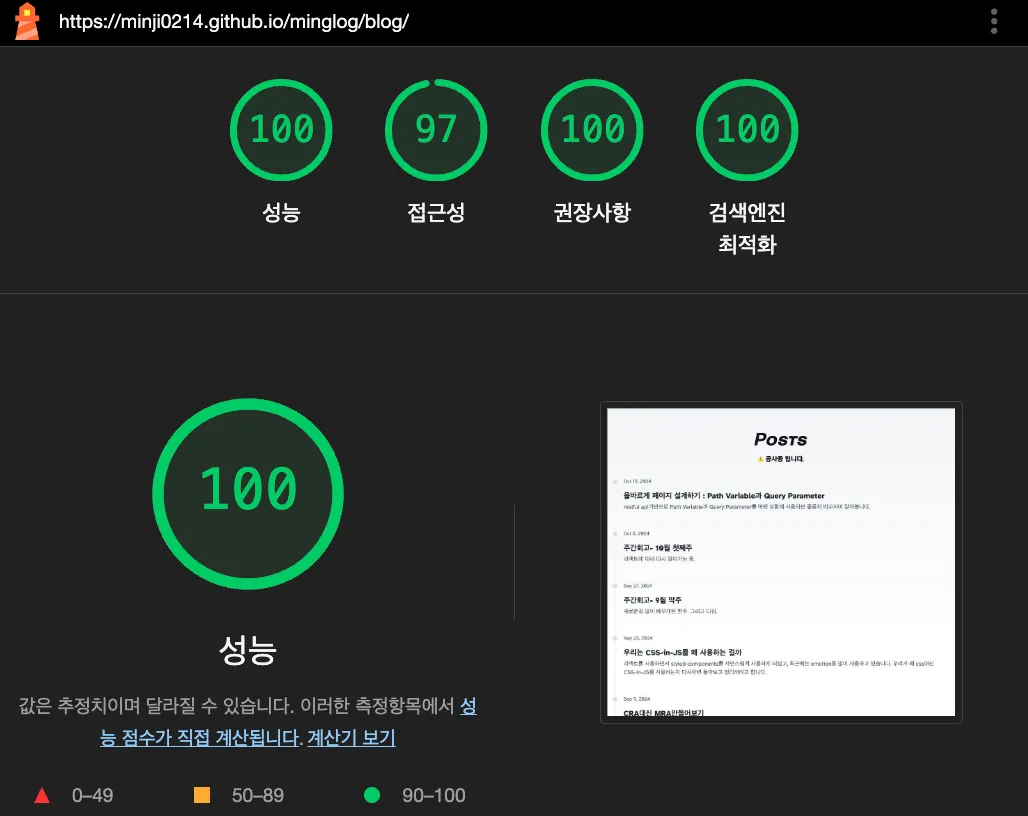 Since there is not much content yet, it was easy to achieve a high score.
The crawler’s crawling cycle takes about a week. After making these changes, you need to wait a few days.
3. Helping My Content Reach the Top of Search Results
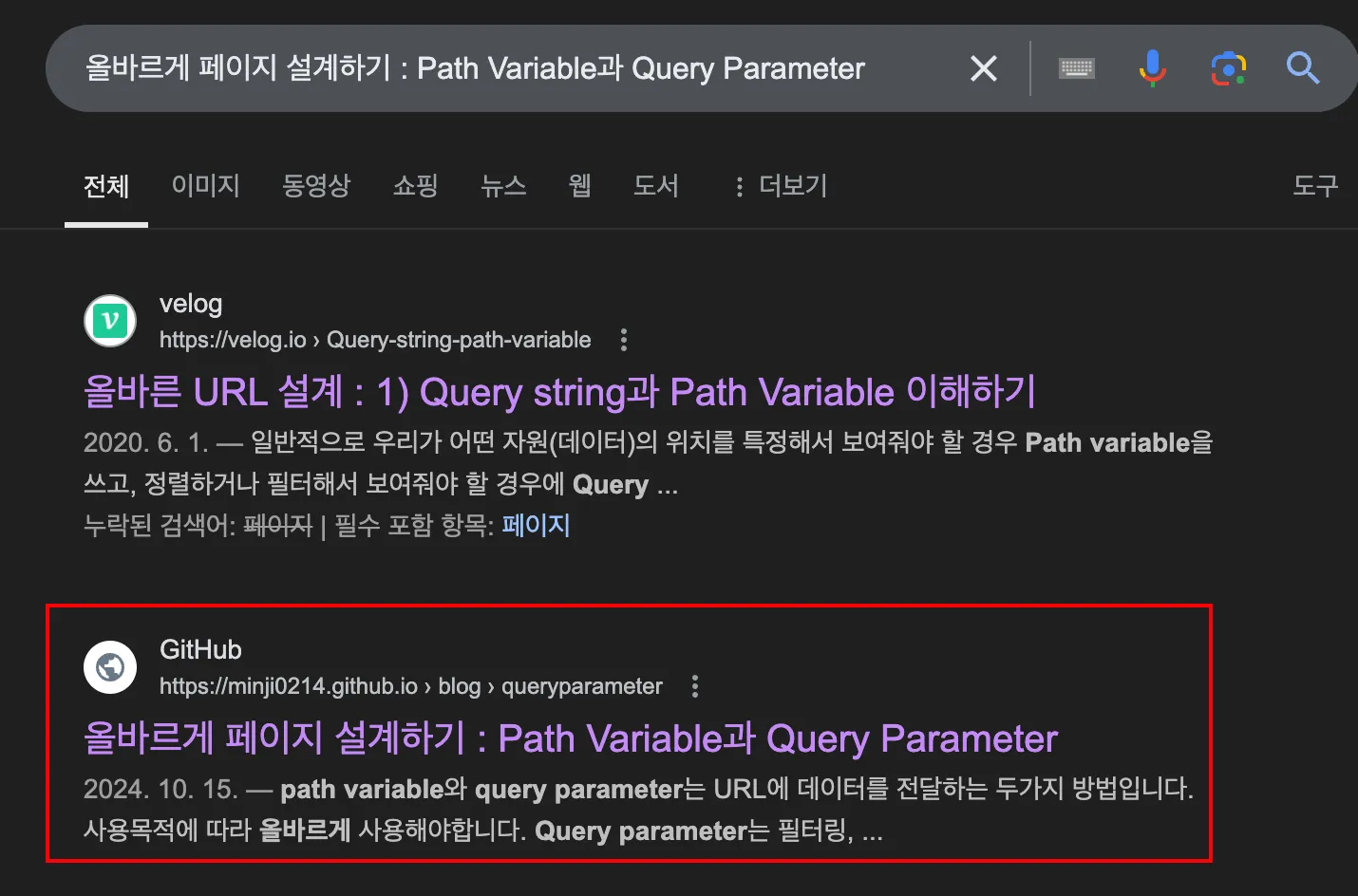
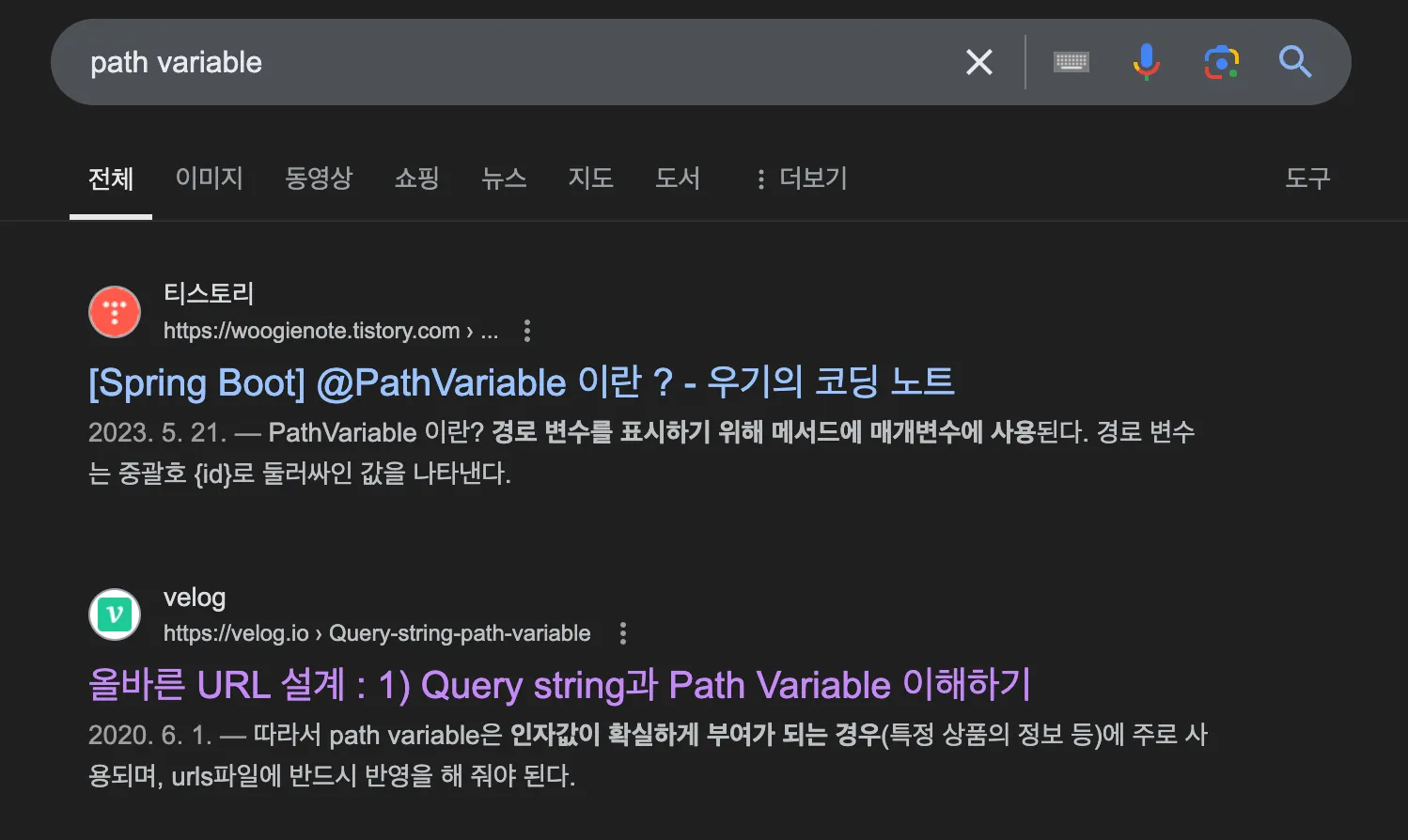
Thanks to the technical SEO work, my posts now appear in Google searches.
Searching for the title puts them relatively high, but finding them through keywords is difficult.
Let’s improve that.
- Keywords: meta tags should contain keywords that best represent the blog’s content. Improving this in a project at work had a major impact on moving it to the top of search results.
<title>Astro Blog — Latest Technology News and Trends</title>
<meta name="description" content="Discover trends and tips on the Astro technology blog. Find useful information about frontend development, RPA, and automation." />-
Set up backlinks: I added links to my blog on several sites to signal that it is trustworthy.
-
Create good content that delivers on the title: I think this is the essence of blogging. Write in-depth content so users who arrive because of the title are not disappointed.
-
Optimizing keywords in the body
How to place keywords in the body
-
First paragraph: Including the most important keywords in the first paragraph helps search engines quickly understand the page’s topic.
<p> Learn about frontend development and automation on the Astro blog, where we share the latest technology trends and development tips. </p> -
Heading tags (h1, h2, h3, etc.): Using appropriate keywords in headings helps search engines understand the page structure and what each section covers.
<h2>Latest trends in frontend development and RPA</h2> -
Add related keywords: Rather than repeating the same keywords, use related keywords or synonyms to appear for a variety of searches. For example, include related terms such as “frontend development,” “web development tips,” or “automation systems” in the body.
3. Include Keywords in Image Alt Tags
Including keywords in an image’s alt attribute can help it appear in image search results too.
Copy HTML code
<img src="frontend-trends.jpg" alt="Frontend development trends and automation technology" />
4. Optimize Link Text
Use keywords in internal links to other posts or related pages and in their link text to help search engines understand each page’s topic.
<a href="/latest-frontend-trends">Latest frontend trends</a>Further Improvements
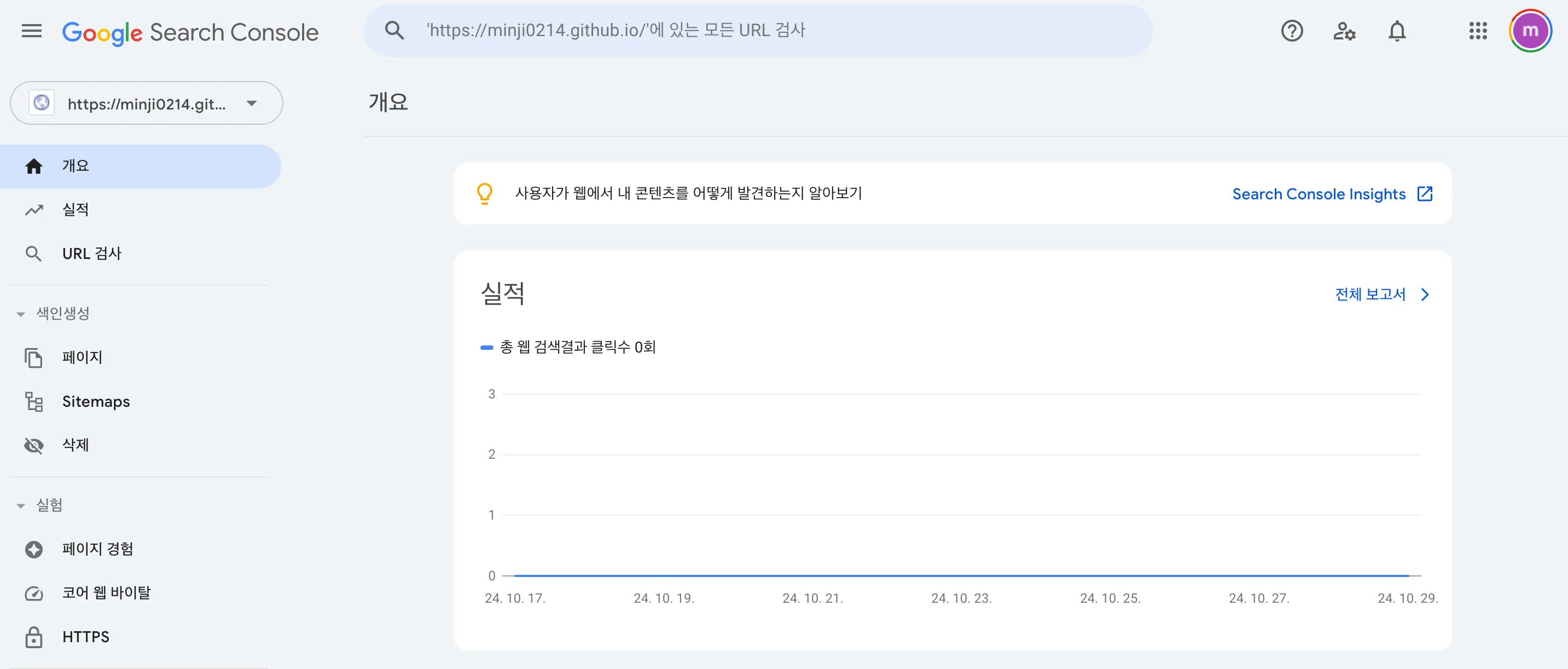
- Once the work is complete, you can register the site in Google Search Console to monitor progress. I have only just made these changes, so there are no results yet, but I will keep running the blog and hope to see them improve.
Reference site
https://developers.google.com/search/blog/2022/11/shopping-tab-with-search-console?hl=ko